Okay, so the first thing you’re wondering is “Why the hell would you want to do this?”
Well the answer becomes more obvious when the scenario is set:
You’re on a social engineering job and you’ve managed to gain access to the target building, you walk around for a bit to see if any of the desks look free. After a while you decide to sit down at what seems like an unoccupied desk. You calmly pull out your laptop and turn it on. As the laptop is booting you start looking for an Ethernet cable to plug into your laptop, you find one and plug it in. Social engineering phase complete, pentest about to start. The hard work is over and the fun is about to begin…. until, someone walks past your laptop and sees you’re bright red coloured BackTrack wall paper.
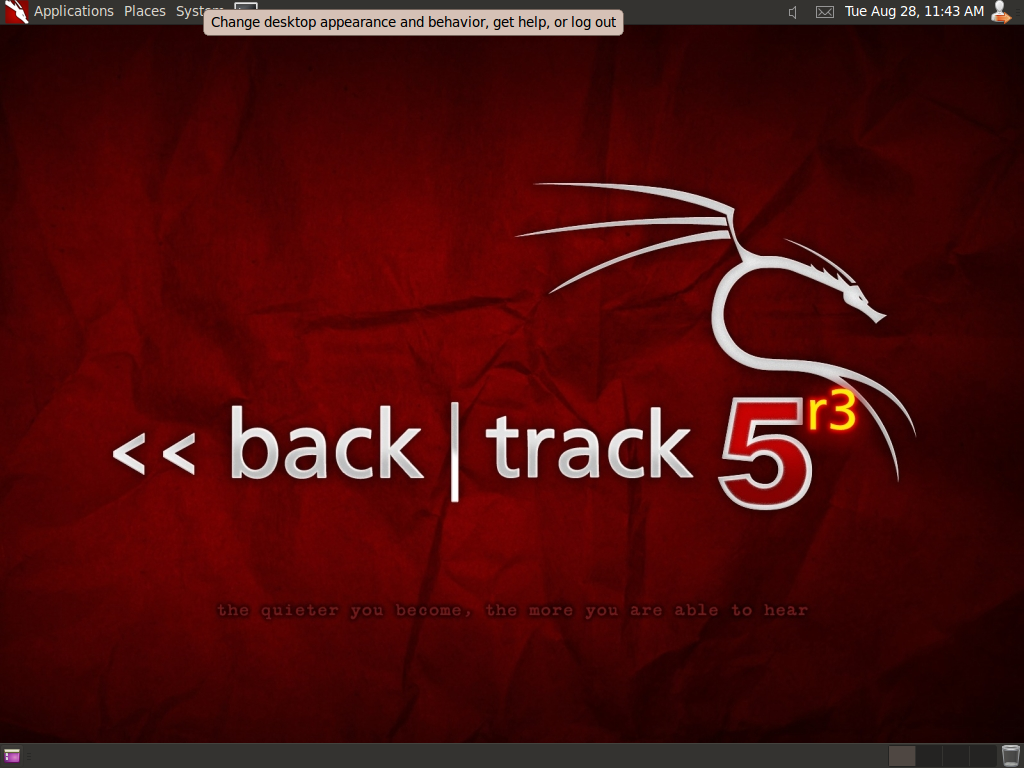
You’re no longer being stealthy, the wallpaper looks aggressive and the nature of your visit is becoming a concern to the other workers who realise they’ve never seen you before. Next thing you know you’ve been collared by security and before you know it you’ve kicked out of the building, all because of the wallpaper on your laptop!
This script originally came from here but I have neatened it up and got it working with BackTrack. So the idea of this script is to make it quick to turn your BackTrack5 gnome build into something that resembles Windows XP to help you blend in with the crowd.
The package can be downloaded from here (please don’t hotlink as I might move the file to a different server to cope with all the downloads….):
http://www.phillips321.co.uk/downloads/LookLikeXP.deb
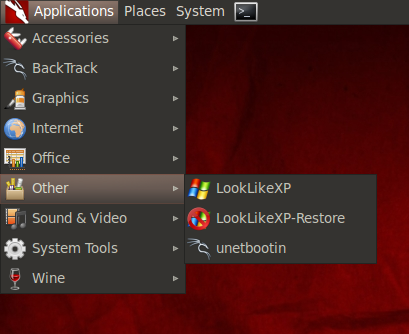
The package when installed will give you 2 menu icons under other:
This is a funny script, Well done !
Does it work on KDE?
Nope this was written to work on Gnome 2.0, specifically for BackTrack R5
when i hit the restore button it doesnt revert me back to backtrack it just says settings restored and still looks like xp. i have backtrack 5 r2 running on a second hdd thanks
Pingback: Make Backtrack look like XP with this script |
Thanks a lot, i’m a beginner with BT and i’ve trying since a long time to get BT to look like any harmless windows for the obvious reason. This script is perfect and very useful to me.
If it is possible I’d like to get rid of the boot splash screen of BT. May be in the next version of your tool. Thanks in advance.
That’s a good idea, ill look to see if this can be done relatively easy.
sir, is it now possible to change the BT boot spalsh screen? Changing the look of your BT desktop to XP is cool, but the moment you switch on your computer, the BT boot splash is a big sign that says, ” hacker here
” or ” careful, you might want to log out now ” hehe. I’ve been trying to do it but no luck yet. Need you guidance, my JEDI master
. Thank you sir
This is definitely possible. You just need to create your own custom plymouth splash screen.
the easy option would be to design your own using Zorin Splash Screen Manager although to fully customise it there is plenty of help here.
Just use this image i guess: http://www.str-graphics.com/wp-content/uploads/2009/12/windows7_Multi_boot.png
Thanks a lot ! Nice job / Good idea and useful !
Very nice works perfect. Thanks
Works like a charm on BT5R3 Gnome x64
Awesome Post Phillips.
How to go back to the original Backtrack look from the XP looks.
As shown by the video click start->other–>LookLikeXP-Restore
This will revert your setting to the original.
@TAPE. Just a thought. Have you tried setting another screen resolution. Maybe the “start” button is way off to the left. Off-screen so-to-speak. Just my 2 cents of course. Good luck.
HAHAHA !!
You were correct
Sometimes the simplest solutions are the best !
It works great on my netbook and now also in Backtrack 5 R3 32bit
Awesome !!
Getting to to work on Backbox would be great as well, it truly is a very nicely put together idea.
One thing I am noting, when running your script on BT5R3 running in VMware player, I do not get the
start button, so the button bottom left is the hide windows/show desktop button.
Is this a VM image issue and only working on correctly on full install or am I missing something trivial ?
okay the image start.png gets set using the following line:
See if that image can be located… if not browse to find it. Then try to set it manually and see what happens. Are you running as root?
Hey, thanks for the response.
Running as root in BT5R3 on vmware player latest version.
BT5R3 updated and upgraded to latest.
I may be missing something here, but please note this is a bit of a newb talking to you
After running the script, the only way I can view that image is by tar -xzf XPLuna.tar.gz and viewing
the image in the resulting directory.
I do not have a themes directory.
All what is visible on screen is working great. But for some reason not seeing Start.
I know how frustrating it can be to try to explain the simplicities of a script so clear to the writer, so
please dont allow my ignorance to put you off
My result after the standard running of script as per instruction;
http://i94.photobucket.com/albums/l112/TAPE_RULEZ/LookLikeXP1.jpg
Some other guys tested it to be working fine on Virtual Box, so possibly a VMware Player issue.
Anyways, still fantastic
I am running it in VMware workstation v.8.x. I realized that in order to see the start button, I had to create it via “add Panel”
TAPE, i’ve seen people mentioning the possibility of getting this going on BackBox, im downloading now so will have a go and let you know what i come up with…
Pure brilliance !